About University
About University
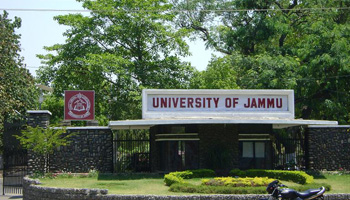
Cradled in the lap of mountains at the foothills of auspicious Trikuta, besides the river Tawi at an altitude of 1030 ft. is Jammu. This 'city of temples' has many places...

Cradled in the lap of mountains at the foothills of auspicious Trikuta, besides the river Tawi at an altitude of 1030 ft. is Jammu. This 'city of temples' has many places...



One of the emerging challenges faced by any higher educational institution is the development, application and maintenance of quality...
CLICK HERE to go to JU-LMS. The URL of JU-LMS is https://e-learn.jammuuniversity.ac.in/moodle/
If you are accessing JU-LMS from the LAN of University of Jammu, CLICK HERE for quick access
If you see a message of the kind 'Your connection isn't private', please type thisisunsafe without <SPACE> and without <ENTER> like a hidden password whenever you encounter this error. This text will not appear in window or text area. It is to be blindly typed the screen containing above message is appeared.
Wait for few seconds and the JU-LMS site will be opened automatically. The above text, that you typed, will not appear anywhere in any text box.
+++
In Mobile, look for an Advanced button and click Proceed anyway (unsafe). You may need to update your browser or re-install it. You can also try opening JU-LMS in 'Incognito Tab' of your browser.
You can also shift to 'Opera Mini' or other browsers.
Please bypass this error using the local settings until the certificate is updated. The committee members may assist in this regard.
Please contact Mr. Gurpal Singh, Technical Member, Department of Computer Sc. & IT at 9697505515 if you are not able to open JU-LMS